
Open source · PSP-1000 · Dreamcast
Play your Dreamcast
with a PSP.
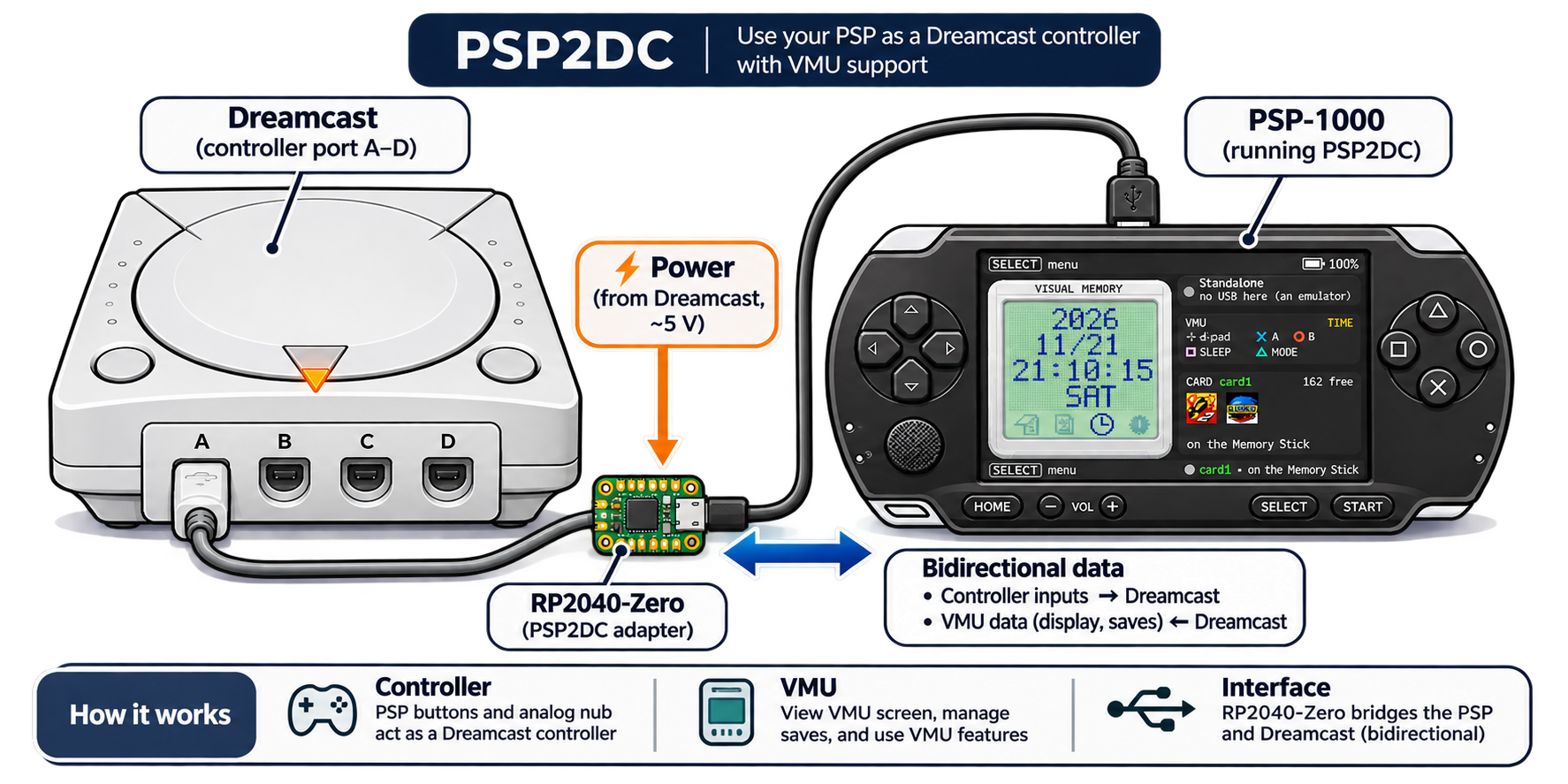
PSP2DC makes a PSP-1000 the Dreamcast's controller and VMU. Its buttons play the game, the VMU's screen is shown full size on the PSP, and your memory cards are files on its Memory Stick. A small adapter connects the two; the console and its games stay as they are.
What it does
A Dreamcast controller
✕ ○ □ △ are A B X Y, with START, the d-pad, the nub as the stick and L and R as the triggers.
The VMU's screen, full size
What a game draws on the VMU's small screen appears large on the PSP, live, while you play.
Memory cards on the Memory Stick
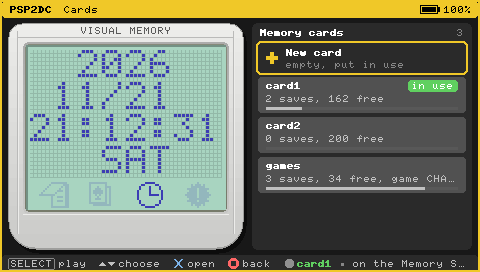
Each card is a file. Saves survive switching the console off, and you can change cards while connected.
A card per game
With GDEMU and openMenu, each game gets its own memory card, put in automatically when the game starts.
A Dreamcast keyboard
An on-screen keyboard on the PSP, for Typing of the Dead and the like.
A VMU on its own
With no Dreamcast connected: the clock, a file manager and the VMU's own mini-games, buzzer included.
See it in action
On real hardware
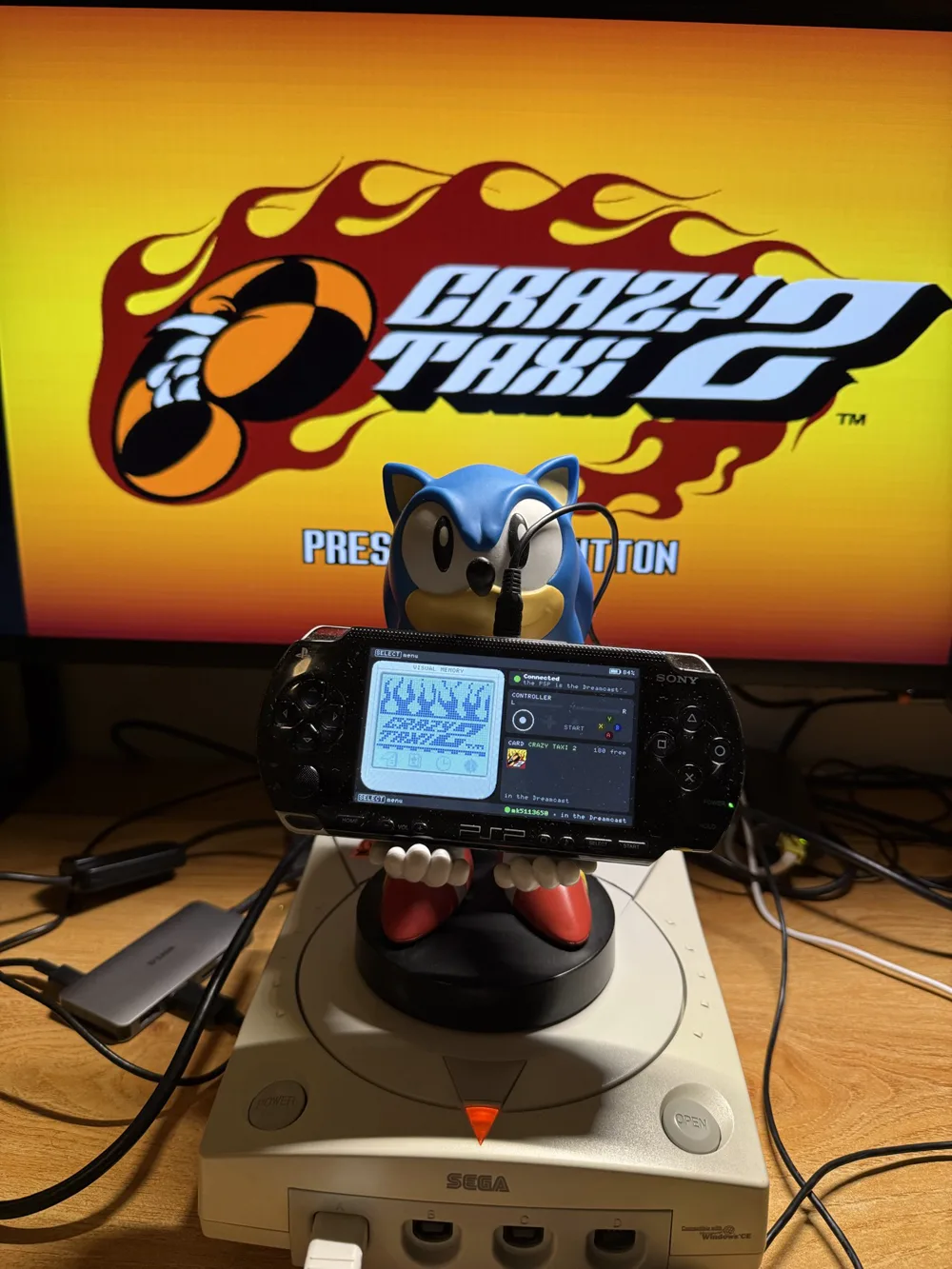
An original Dreamcast, an original game
The game is on the television and what it draws on the VMU is on the PSP, beside the controller as the Dreamcast sees it and the memory card in use. Here the card is the game's own, put in when the game started.
Nothing is changed in the console, and nothing is emulated on its side: to the Dreamcast, the adapter is a controller with a memory card in it.
Your saves, looked after
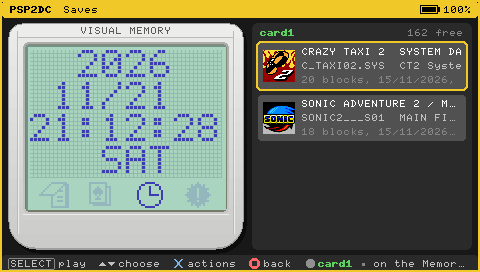
Saves and Cards, in the PSP's menu, manage everything: make, rename, duplicate, defragment, check
and repair cards; copy, move, delete and import saves; export them as .DCI or
.VMS with .VMI.
A card is the usual 128 KB VMU image, so cards you already have can be copied in from a computer. A backup is made before anything removes data.
How it works
| Buttons and stick | → | the Dreamcast's controller |
| VMU screen | ← | what the game draws on it |
| Memory card | ↔ | saves, read and written |
The adapter runs a fork of joypad-os and speaks the Maple bus, the language of the Dreamcast's controller ports. To the console it is a controller with a memory card in it.
What you need
- A PSP-1000 with custom firmware (tested on 6.60 PRO-C).
- A Dreamcast.
- The adapter: a Waveshare RP2040-Zero, a small RP2040 board.
- A Dreamcast controller cable, its five wires soldered to the adapter.
- A USB-C OTG adapter and a Mini-USB cable, from the adapter to the PSP.
Get started
- The adapter. Solder the controller cable to the board. Wiring
- Download. A release is one zip with the adapter's firmware and the PSP application. The latest release
- The adapter's firmware. Hold the board's BOOT button while plugging it into a computer, and copy the
zip's
.uf2file onto the drive that appears. - The PSP. Copy the zip's
PSPfolder onto the Memory Stick. - Play. Plug the adapter into a controller port and the PSP into the adapter, then start PSP2DC from the PSP's Game menu. Using it
Or build both from source: Building.
For developers
The companion: a second screen for homebrew
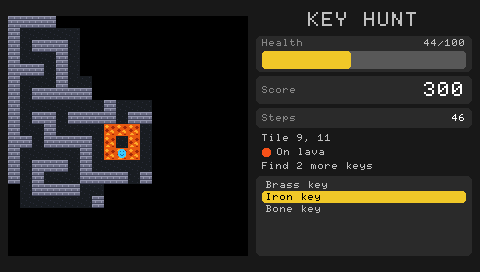
A Dreamcast program built with KallistiOS can use the PSP as its second screen: a map, an inventory or a dashboard on the PSP while the game is on the TV. The program places labels, numbers, bars and lists, draws into regions of the screen, and sends pictures and sprites. It can read the PSP's buttons and keep files on the Memory Stick.
It runs on a real Dreamcast, and comes as a small library with a guide, a tutorial in seven steps and a demo game. A release has their disc images.
The tutorial · The library's guide · Design and measurements
Works today
- Controlling a real Dreamcast from the PSP.
- The VMU's live screen on the PSP.
- Memory cards on the Memory Stick, and changing them while connected.
- A card per game with GDEMU and openMenu.
- The keyboard, in openMenu and Typing of the Dead.
- The standalone VMU, with mini-games such as Chao Adventure 2.
- The companion: a Dreamcast program's second screen, buttons and files on the PSP.
Not done yet
- Latency measurements and broad game testing.
Questions
Does it change my Dreamcast?
No. The adapter plugs into a controller port like any controller, and the console and its games stay as they are.
Can it harm my PSP?
PSP2DC is a homebrew program on the Memory Stick: it changes nothing in the PSP's firmware. It does need custom firmware to run, because its USB driver is a kernel module.
Which PSP models work?
It is tested on the PSP-1000 with 6.60 PRO-C. Other models have not been tried.
Can I use the saves I already have?
Yes. A 128 KB VMU image copied to
PSP2DC/cards/ on the Memory Stick is a card, and single saves can be imported and
exported as .DCI or .VMS with .VMI.
What happens to the memory card when the PSP is unplugged?
The card lives on the PSP, so without it the Dreamcast sees no memory card. On reconnecting, PSP2DC compares the adapter's copy with its own; if both changed, the adapter's copy becomes a new card and nothing is written over.
How is it related to PSPExp?
It is a sister project by the same author. PSP2DC uses the PSP USB driver made for PSPExp, which turns the PSP into the screen, sound and controller of a small Linux board.